Just say it. It’s on the calendar.
Add events, reminders and family tasks naturally, even when your hands are full.
Voice → Event → Calendar


 Family planning, made easier
FotoCube brings schedules, chores, meals, photos and helpful AI into one home display, so everyday family life is easier to see, plan and enjoy.
 Works with the calendars your family already uses
One place at home for the plans, tasks and moments that shape the day.
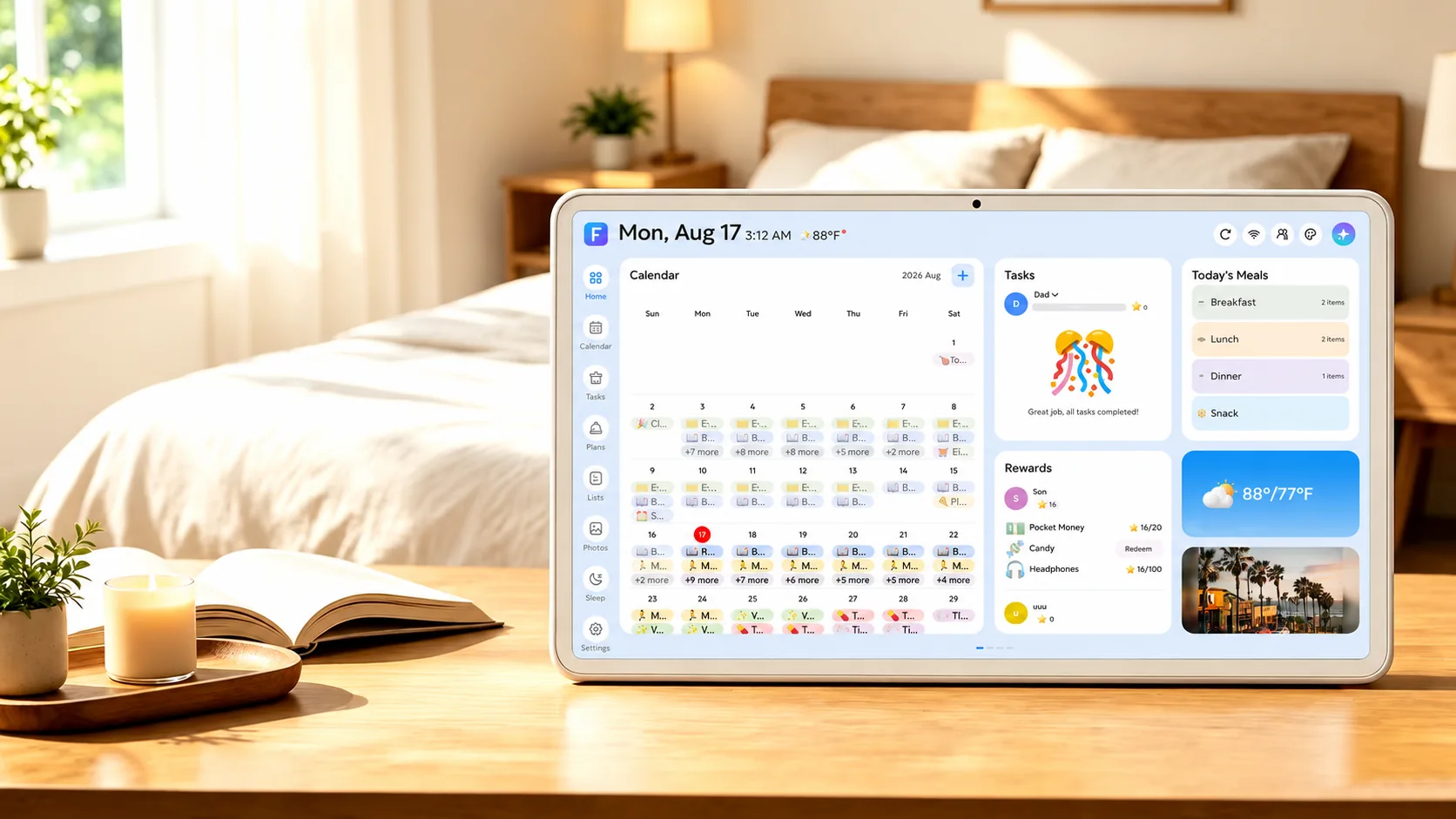 See everyone’s day at a glance
Keep using Google, Apple, Outlook and the calendars you already rely on. FotoCube brings them into one clear family view.
Account sync and calendar link import vary by service. Mom
Mom Dad
Dad Grandma
 Ben
Ben Mia
Mia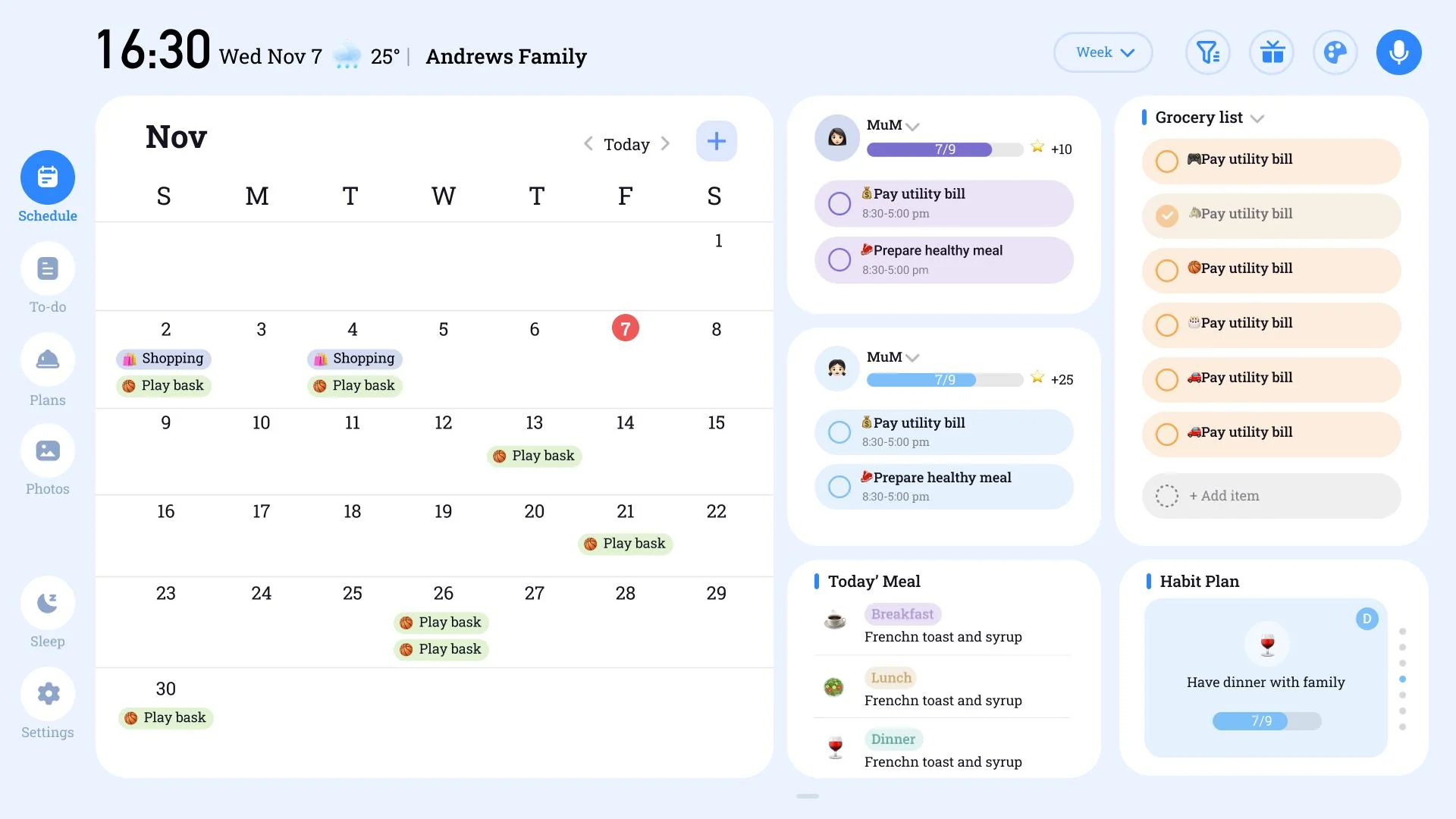
One shared view at home, with updates from the whole family.
Zola AI helps turn everyday plans into action: create events by voice, plan meals, organize tasks and make something new from family photos.
Explore Zola AI plans ↗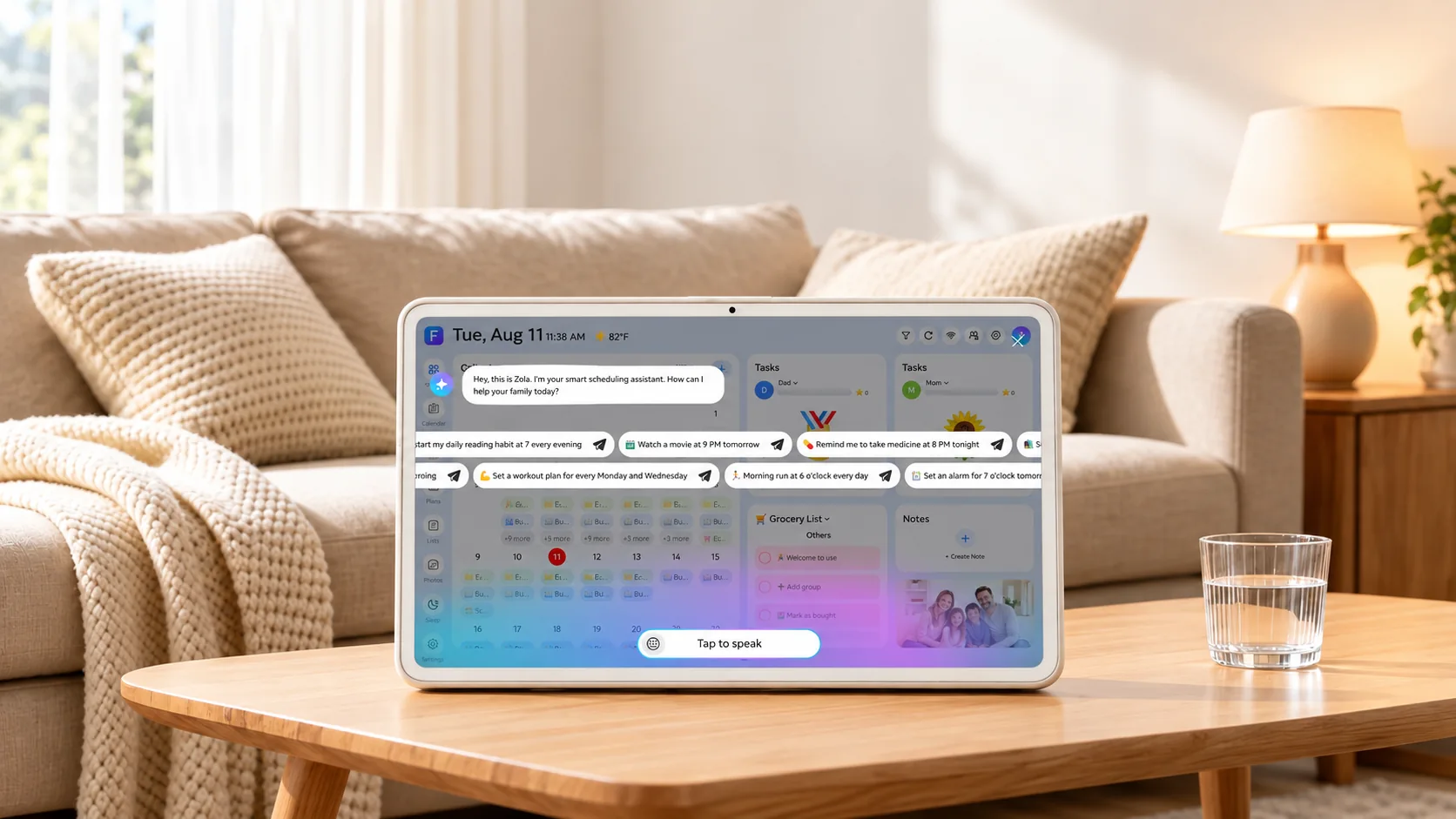
Add events, reminders and family tasks naturally, even when your hands are full.
Voice → Event → CalendarGet meal ideas, recipes and weekly planning help that make the next dinner decision easier.
Meal plan → Recipe → ListReimagine favorite moments with creative AI styles and bring them to the home display.
Photo → AI styleFrom the morning rush to winding down at night, the whole family can see what is happening and what comes next.
Check the weather, today’s schedule and morning reminders at a glance.
Say, “Add soccer practice Tuesday at 4 PM,” and put it on the family calendar.
Browse a recipe, check the shared grocery list and ask someone to help.
Let favorite photos fill the display as the house settles in for the night.
 07:30 / Morning plans
The little things matter alongside the schedule.
Put a message where the family will see it.
Share a thought even when you cannot be in the room.
Keep birthdays, milestones and moments close.
FotoCube makes room for the practical parts of family life and the moments everyone wants to remember.
Bring school, work and activities into a view everyone can check.
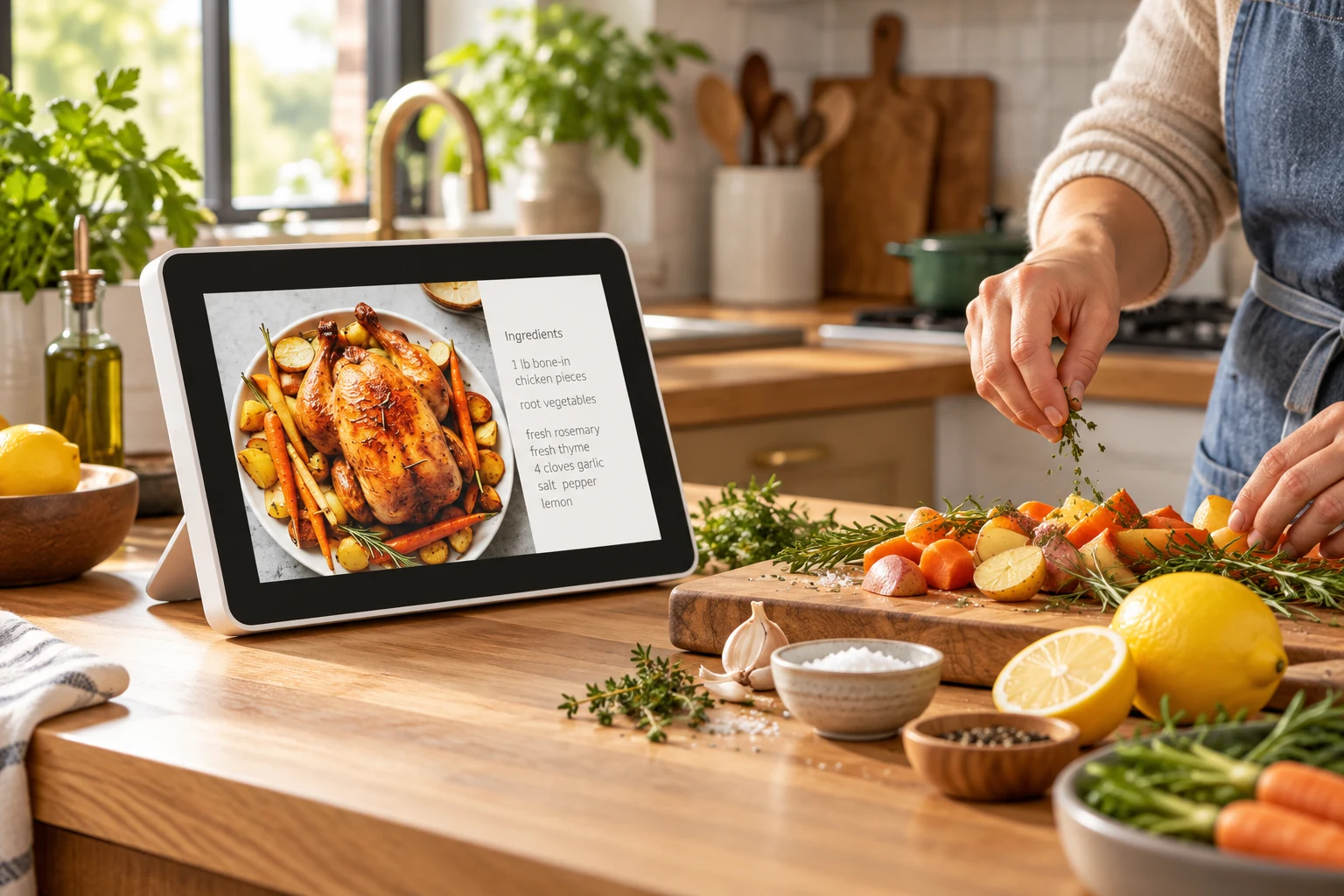
Keep recipe ideas and the weekly plan close to the kitchen.
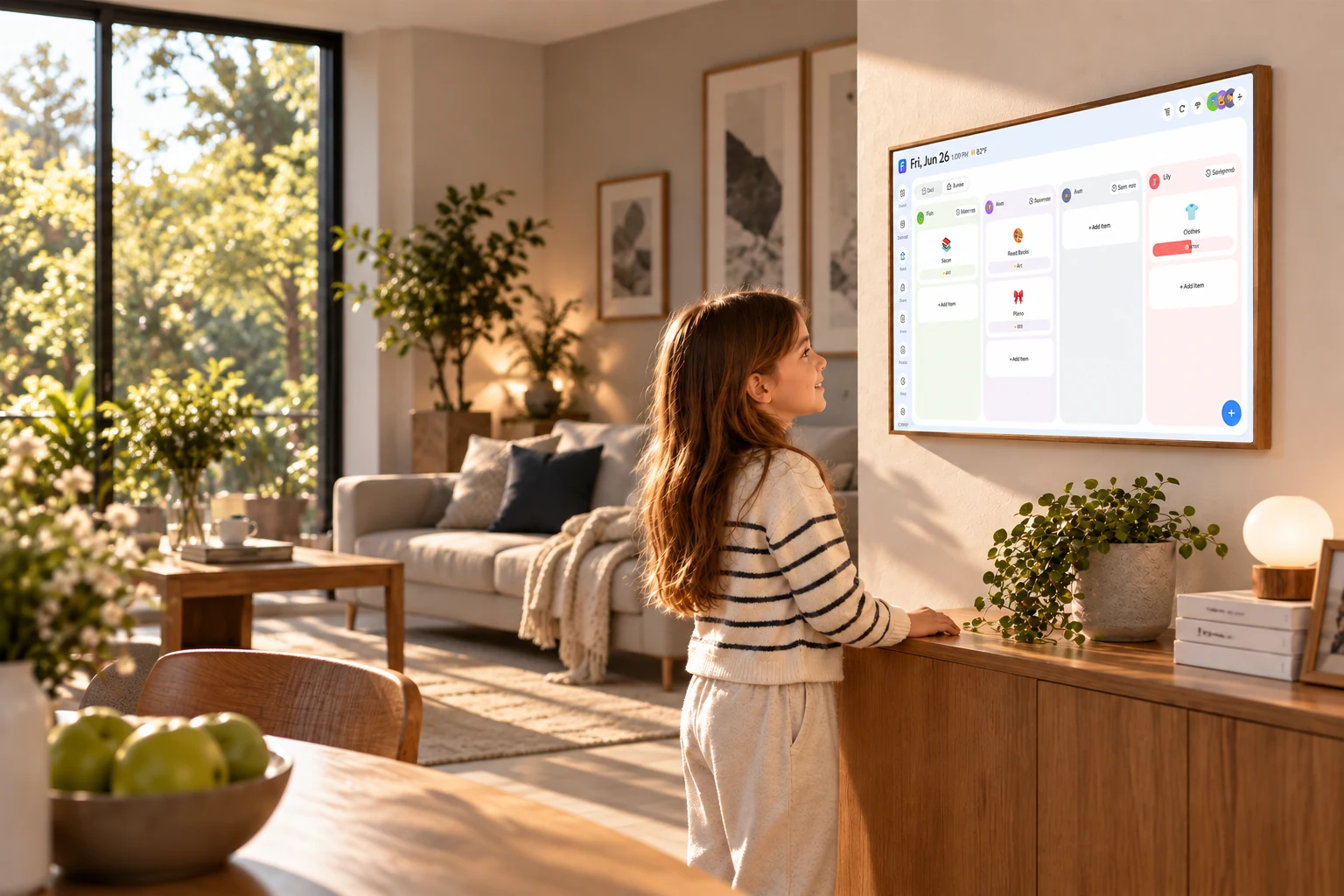
Tasks and star rewards help make progress visible.

Let favorite moments live beyond a phone gallery.
Family schedules and photos deserve careful handling. FotoCube uses an ISO 27001-certified information security management system and explains how data is used in its Privacy Policy.
Read the Privacy Policy ↗



Read product announcements and practical guides for connected family life.
Our direction for a more helpful AI-powered home display.
Read announcement ↗Ideas for keeping everyone’s plans visible and useful at home.
Explore the blog ↗Setup guides, calendar syncing help and everyday tips.
Visit Help Center ↗






Compare the essentials across Frame, Calendar and Calendar Pro. Choose the display that fits your home.
| Feature | FotoCube FramePhotos first | FotoCube CalendarFamily planning | FotoCube Calendar ProFull experience | Other digital calendarsVaries by brand |
|---|---|---|---|---|
| Family photo display | ||||
| Calendar viewing and sync | Basic | |||
| Tasks and star rewards | — | |||
| Meal planning | — | |||
| Art gallery | — | — | ||
| Web Calendar | — | — | ||
| Selected Zola AI tools | — | By plan | By plan | — |
| Night mode and themes | — | — | — |
FotoCube features can vary by device, software version and subscription plan. The other-calendar column follows the supplied comparison reference; features vary by competing model.
The everyday moments that matter to FotoCube families.
 Emily
Emily“FotoCube syncs the kids' schedules to both my phone and my husband's — no more scrambling through group chats for practice times.”Calendar syncing
 Lisa
Lisa“The meal planner alone is worth it. I used to dread the 'what's for dinner' question — now I have a plan by Sunday night.”Meal planning
 Jennifer
“My kids actually check FotoCube for their chores without being told. The star rewards make it feel like a game to them.”Chores and rewards
 Karen
Karen“We got it for the calendar, but the photo slideshow is what everyone loves. It makes the kitchen feel warmer somehow.”Family photos
Families show how they use FotoCube at home.
FotoCube works with device and platform partners to bring a more useful home display to more households.





Start with the display. Keep the family day close with the FotoCube app.
Ready to bring the family day into view?
Shop FotoCube →Clear answers before you get started.
FotoCube is a family calendar and home display for schedules, tasks, meal planning, photos and selected AI features.
FotoCube combines the photo display with a shared view of family plans. Calendar and Calendar Pro add more tools for organizing everyday life.
On your FotoCube display, open Settings, then Account. Use the eight-digit pairing code to connect the display in the FotoCube app.
Yes. Family members can share the display and manage plans through the app. Available controls depend on the device version.
Keep the display plugged in. Wi-Fi is needed for calendar syncing, remote photo sharing and online features.
Google Calendar, iCloud and Outlook support account connections. Cozi, Yahoo and TeamSnap can be brought in through calendar links. Sync methods and timing vary by service.
Some external calendars refresh on their own schedule. Link-based imports and iCloud changes can take up to 15 minutes after the initial sync.
Visit the FotoCube Help Center for the user manual, syncing guides and support.