
A One-Week Chores and Rewards Plan for the Family
A chore chart gets complicated when every job earns a different number of points and nobody remembers the rules. Start with a few repeatable jobs the family already agrees are useful. The week below is an example you can adapt; it is not a customer story or a measured result.
Make a small plan on Sunday
Choose one task per child and one shared household job. For example:
- Monday and Thursday: Pack the school bag for the next day — 2 stars each time.
- Wednesday: Bring recycling to the right bin — 3 stars.
- Friday: Put away sports gear before dinner — 3 stars.
Those point values are just an example. Pick tasks and rewards with the people who will do them. A clear job such as “put the sports bag by the door” is easier to check than “be more organized.”
Put the tasks on the display
On a supported FotoCube Calendar or Calendar Pro, open the task controls, use the + button, choose Task, and enter the member, date or time, and any reminder you need. Save the task and check that it appears in that member's Task view. The task guide shows how to edit a task and mark it complete.
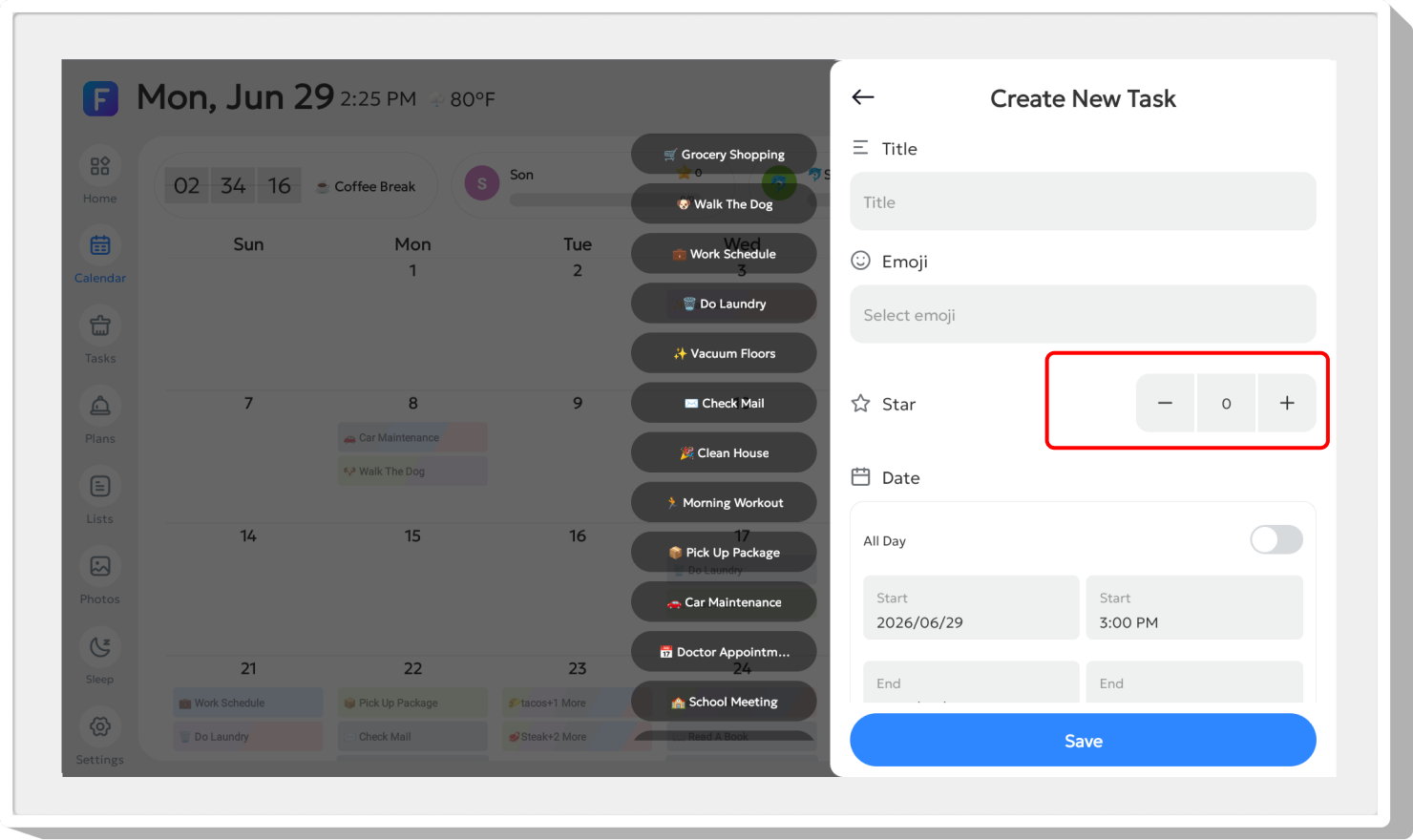
The task editor also lets you set Star Points for a task or habit plan. The original screenshot below shows the Star control while creating a task; the exact screen can vary by device and software version.
Choose a reward before the week begins
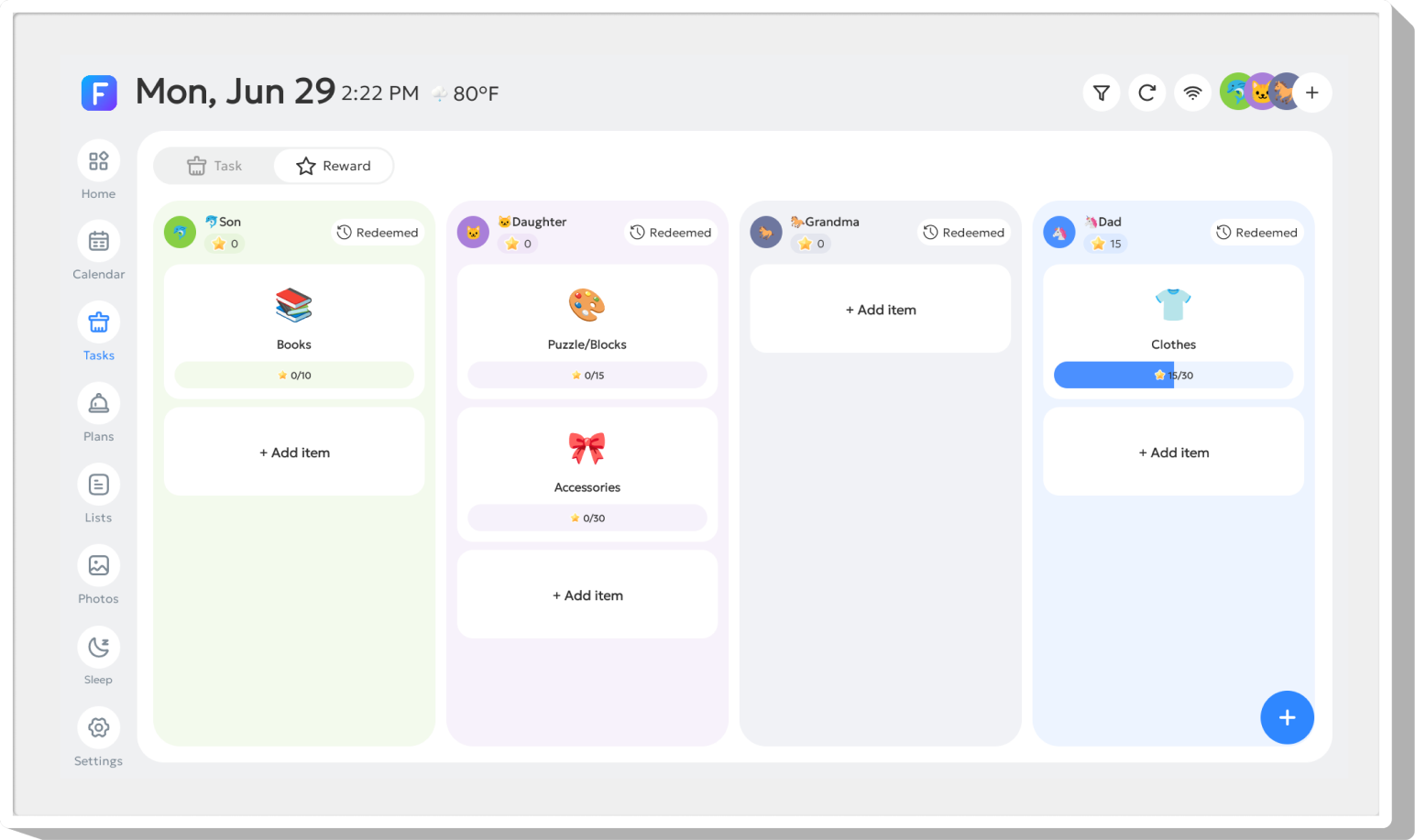
Suppose the family agrees that 10 stars means choosing Saturday's board game. Create that goal in the Reward panel for the member. FotoCube lets you set a required point total and choose whether a reward is one-time or repeatable. The rewards guide explains how to redeem it and where to check redemption history.
Keep the week manageable
- Monday: Check that each person can see their assigned jobs.
- Midweek: Mark finished tasks complete and adjust a task that no longer fits the family's schedule.
- Weekend: Review the stars and any redeemed reward together, then keep or simplify next week's plan.
According to the support guide, stars are added when an assigned task or habit goal is completed. There is no need to promise that every job will get done. The useful part is having a shared place to see what was assigned, what was finished and what the family agreed a reward means.
Tasks and rewards are part of the shared planning foundation on Calendar and Calendar Pro. For the controls on your particular model, follow the task setup and rewards setup guides.
Set up your first family task
Use the illustrated FotoCube guides to create a task and choose a reward.