 Help Center
Set up stars and rewards for family tasks
Give tasks and habit goals star points, then create rewards that family members can redeem when they have enough points.
- Create the family members who will use tasks and rewards
- Choose a task or habit goal and a reward the family has agreed on
For supported Calendar and Calendar Pro displays. Menu labels and feature availability can vary by device and software version. Check the options shown on your device.
Step by step
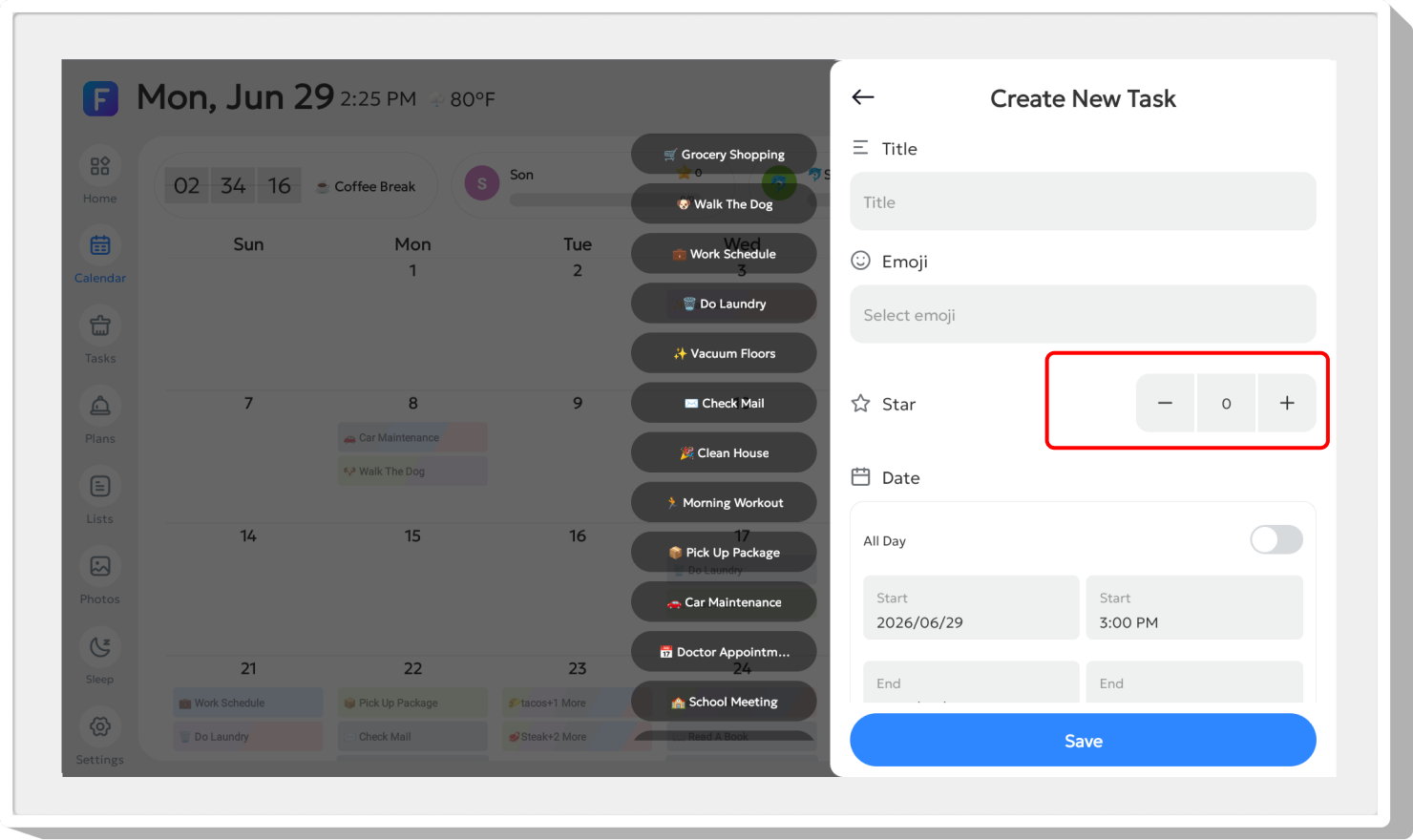
- Set Star Points on the Task or Habit Plan you want to reward.
- Complete the assigned task or habit goal to add its stars.
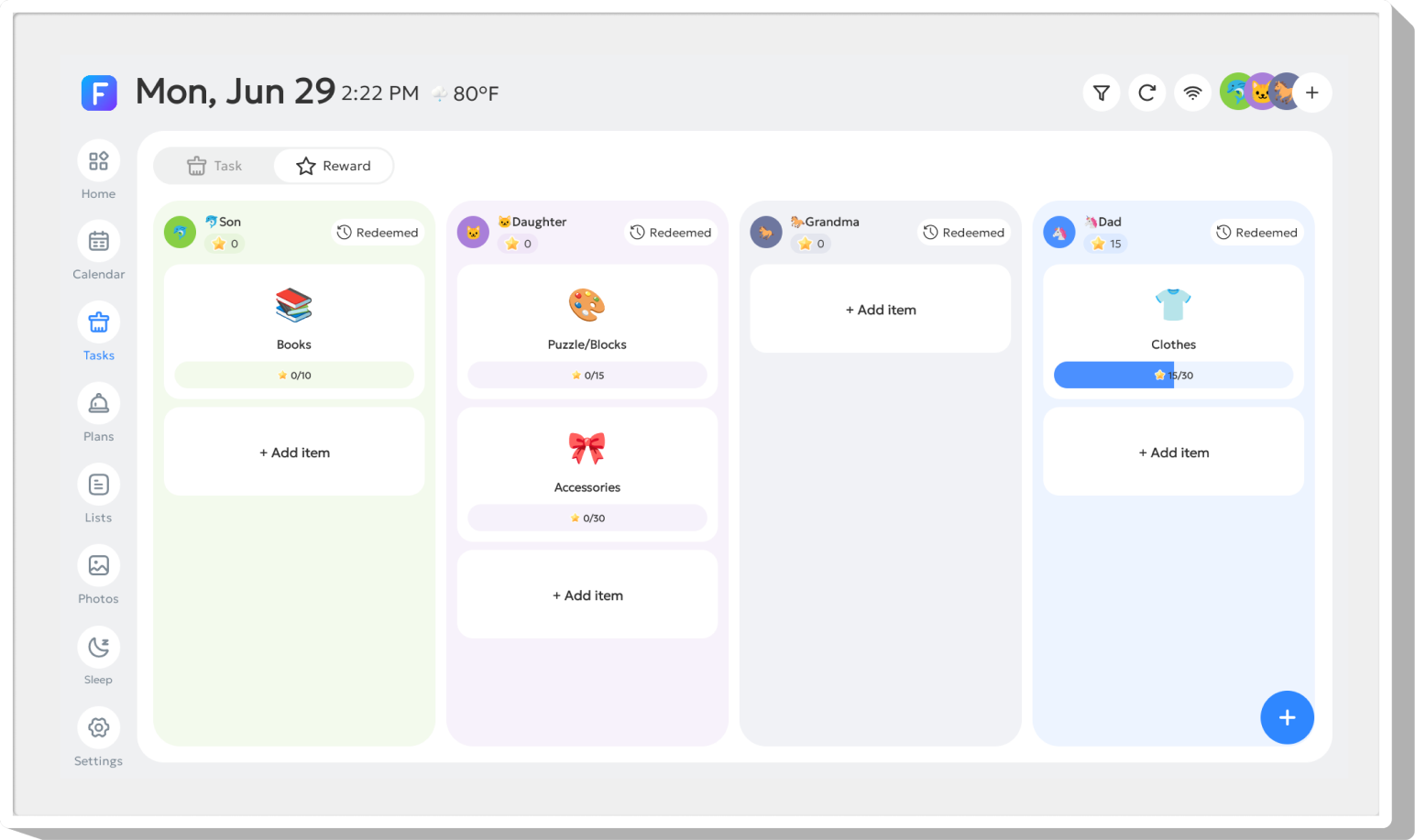
- Open the Reward panel and create a reward goal for the member, including the required points.
- Choose whether the reward is one-time or repeatable. Members can redeem it when they have enough points.
- Open Redeemed to view the redemption history.
Illustrated reference
Original FotoCube instructions and screenshots for this task.
Add Stars

Star Points can be set for Task and Habit Plan to encourage children to build good habits. Stars are added when a child completes the assigned tasks or habit goals.
Reward Redemption
 Switch to the Reward panel to create reward goals for each member.
Create rewards for members and set required points. Members can redeem rewards once they accumulate enough points. Rewards can be set as one-time or repeatable. Tap "Redeemed" to view redemption history.
Common questions
When are stars added?
The guide states that stars are added when the assigned task or habit goal is completed.
Can the same reward be used again?
Rewards can be configured as one-time or repeatable.
Based on the existing FotoCube Help Center guide: Reward. This documentation date is not a device or app release date.