 Help Center
Create, edit and complete tasks on FotoCube
Create tasks for things the family needs to do, then check them off in the Task view as they are completed.
- Open the task or calendar controls on your FotoCube
- Choose the family member and task details you want to use
For supported Calendar and Calendar Pro displays. Menu labels and feature availability can vary by device and software version. Check the options shown on your device.
Step by step
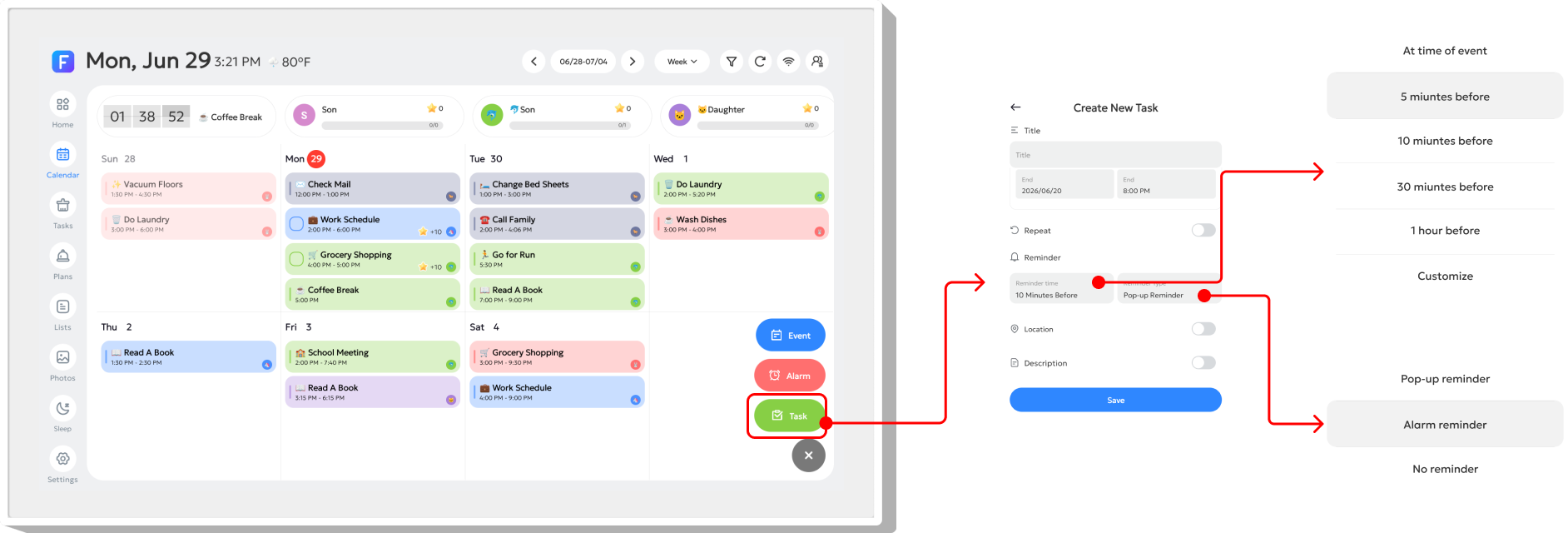
- Tap the + button in the bottom-right corner and choose Task.
- Enter the task details, start and end time, reminders and description as needed.
- Save the task and check the member's list in the Task view.
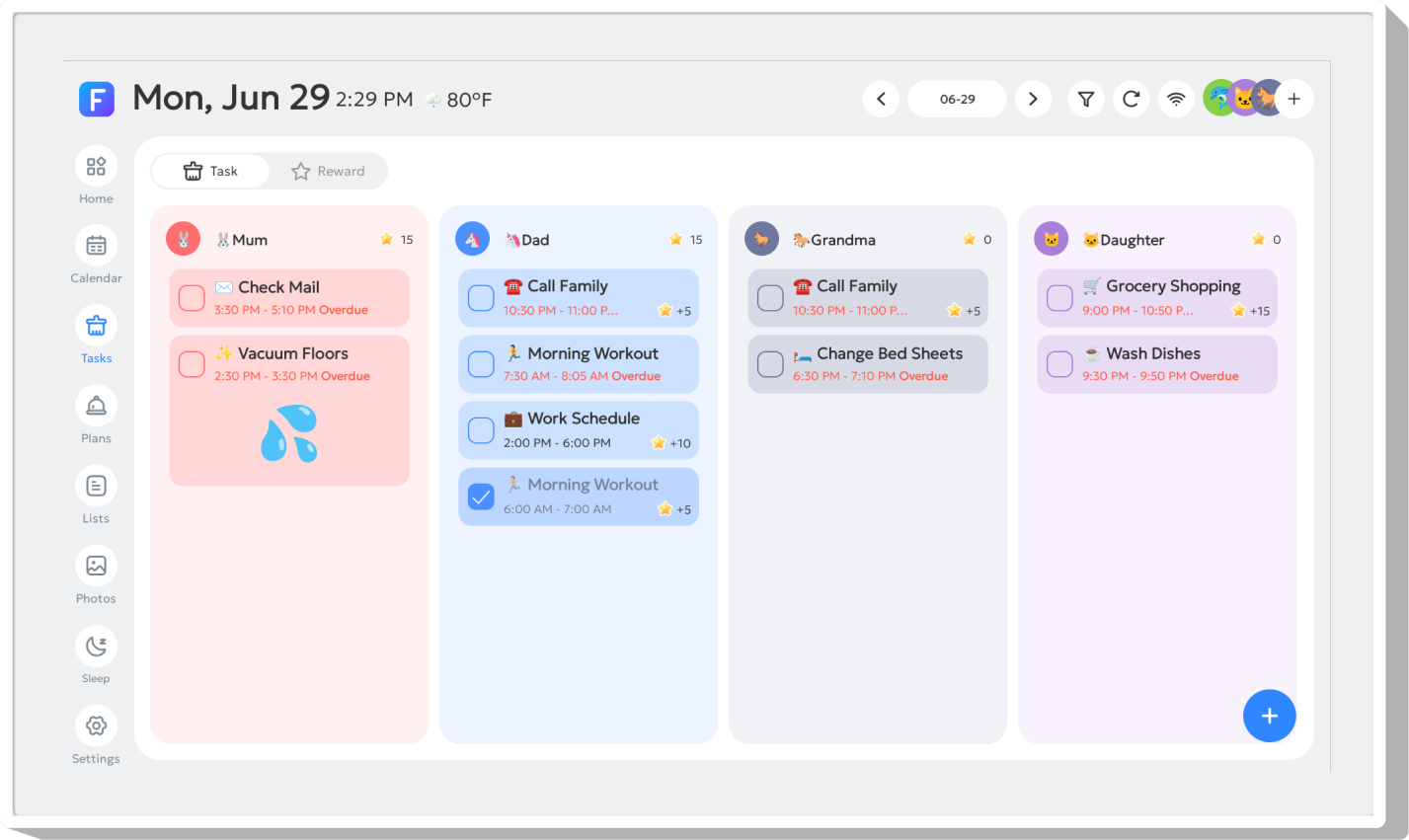
- Tap a task to edit it, or tap the rectangular control on its left to mark it complete.
Illustrated reference
Original FotoCube instructions and screenshots for this task.
Create a Task
Tap the "+" button in the bottom-right corner, then select "Task". In the pop-up window, you can edit the details, set the start/end time, customize the reminder time under "Reminder", choose a reminder type under "Reminder Method", and add notes in "Description".
The Task page displays each member's to-do list. Habit Plans are also shown on this page.
ⓘ Registration tipTip: Long-press a member's name at the top of the list to move the list and change the display order.
Edit the Task
Click on the To-Do item to edit the content.
Complete a Task

Click the rectangular button on the left to complete the task.
Task Reminder
Overdue tasks will trigger pop-up reminders.
Common questions
Can I change the order of family members?
The existing task guide shows a long press on a member's name at the top of the list to move that member's list.
Why can I not see events or meals in Task view?
Task view focuses on Tasks and Habit Plans. Events, Alarms and Meal Plans are hidden in that view.
Based on the existing FotoCube Help Center guide: Tasks. This documentation date is not a device or app release date.