
How to Plan a Week of Family Meals with Zola AI
Start a Zola AI meal plan with your dietary goals, food preferences and a short description of what you need. Review the suggestions before deciding what to cook. If you want ideas for ingredients already at home, use the separate fridge-scan recipe tool.
Set your goals and preferences
- Open the FotoCube app and go to Meals → AI Plan.
- Choose a dietary goal, such as eating balanced meals or reducing carbs.
- Add the dietary preferences available in the app, such as vegetarian, gluten-free or dairy-free.
- Use the custom description to explain practical constraints. For example: “Kid-friendly dinners, under 30 minutes to cook, no shellfish.”
- Generate the plan and review the suggested dishes.
Use the options shown in your current app version. Review ingredients and instructions yourself, especially when a household member has a food allergy or a dietary requirement.
A concrete example
Goal: eat balanced meals. Preference: no shellfish. Custom description: “Three weekday dinners, simple ingredients, under 30 minutes.”
The plan may suggest dishes such as a chicken stir-fry, lentil soup or a spinach omelette. These are examples of the kind of output to review, not a guaranteed menu or preparation time.
Use a fridge photo for recipe ideas
Open Meals → Scan Fridge in the app, take a photo and review the ingredients it recognizes. The tool suggests recipes from the identified ingredients. A photo containing eggs, spinach, tomatoes and cheddar might lead to omelette or tomato-and-egg ideas. Correct anything the scan missed before relying on a suggestion.
Fridge-scan recipe suggestions and the weekly AI plan are separate entry points. Do not assume that a scan automatically updates an existing plan.
Put meals on the display
Once you have chosen dishes, use Meal Plan to select a date and Breakfast, Lunch, Dinner or Snack. Choose a saved recipe or add a recipe with its ingredients and instructions. Follow the meal and recipe guide for the exact manual controls, including editing or deleting a planned dish.
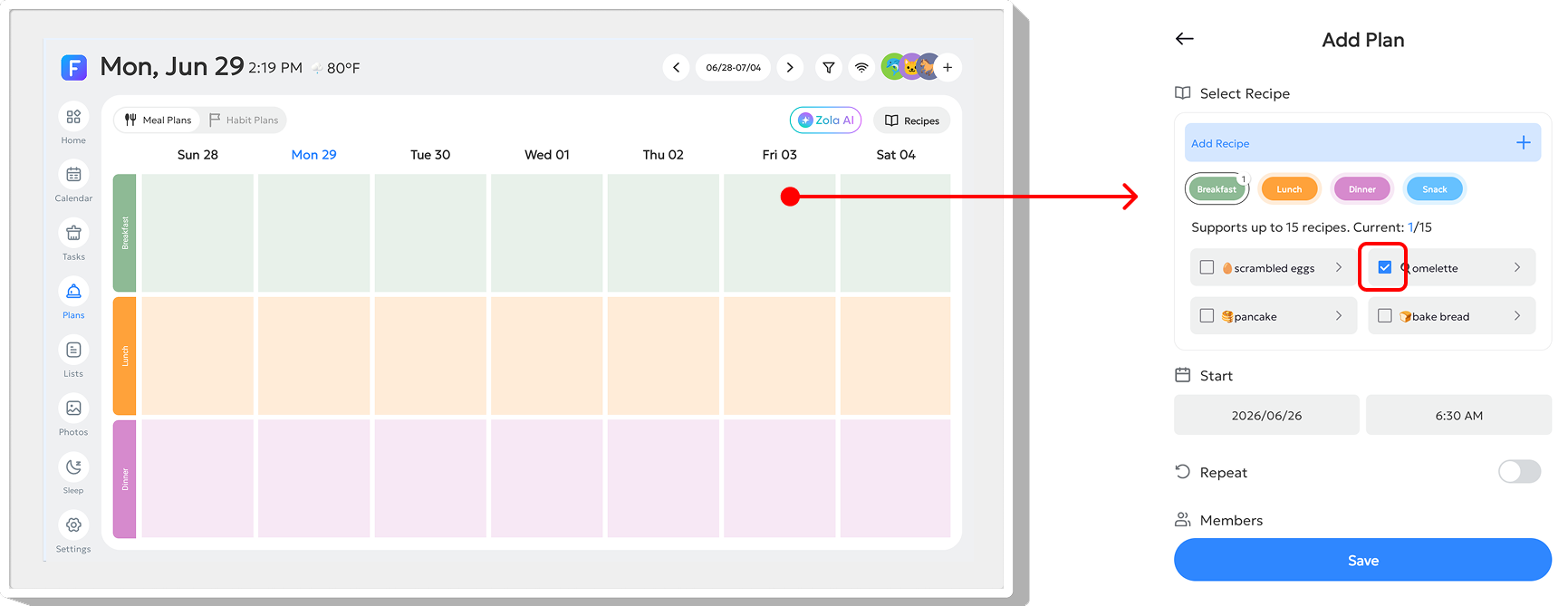
For the AI Plan flow, watch FotoCube's weekly meal-plan tutorial.
What is included?
The current Free plan lists one-week AI meal planning. Other AI recipe tools, cloud services and usage limits depend on the device, software and plan. Check the Zola AI plan table and the terms shown in the app.
Make the plan easier to use
- Write practical constraints in the custom description rather than assuming the system knows them.
- Check the ingredients you actually have before choosing a dish.
- Keep the first plan short enough to review and adjust.
- Use the calendar views and meal slots to see what you have planned.
Related articles
Ready to try FotoCube?
Download the app and explore the display that keeps your family in step.